Free ATS-Friendly Resume Template
An ATS-friendly resume template is one that hiring software can read as easily as a person can. Applicant tracking systems pull the text out of your file and sort it into fields such as job titles, employers, dates and skills. If a layout hides text in images, tables or a jumbled reading order, details can go missing before anyone looks at them. Here is what to look for, who needs it most, and how every ResumeInk design is checked for it.
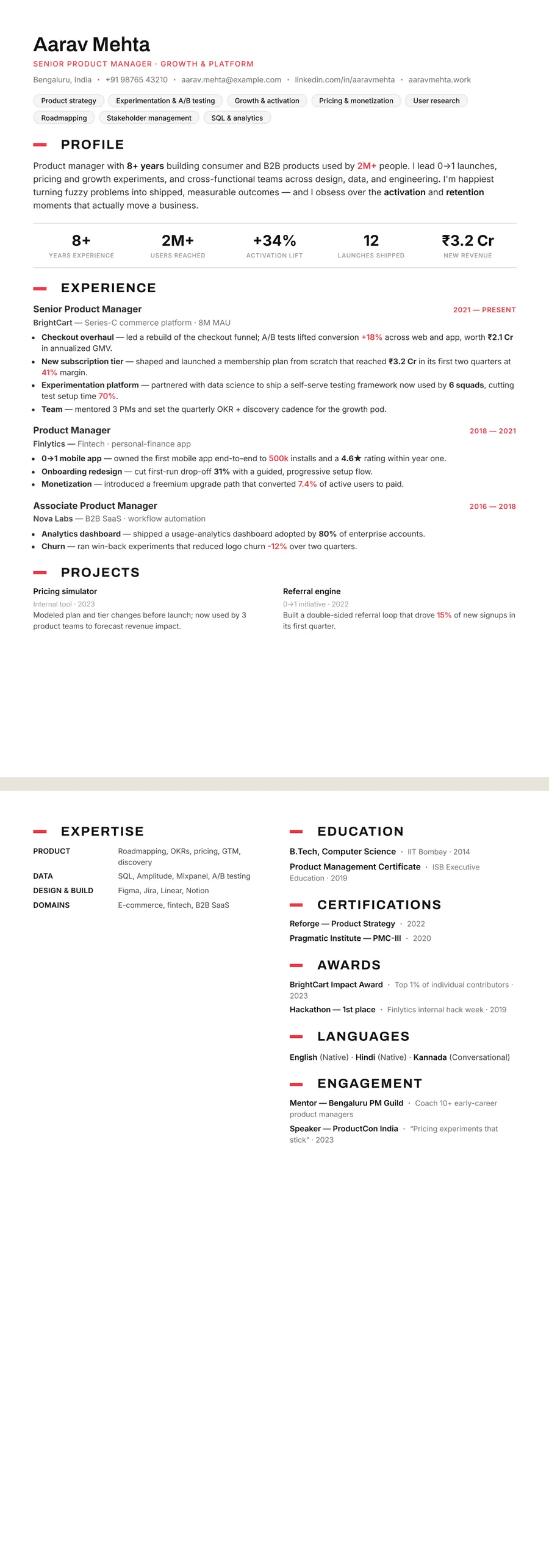
What makes a resume template ATS-friendly
ATS-friendly is about how a file is built, not how plain it looks. A template passes when:
- All text is real text — selectable and searchable, never part of a picture or background graphic.
- Headings are standard — Experience, Education, Skills, Projects, Certifications — so the software knows where each section starts.
- The reading order is logical — when the text is extracted, it comes out in the order a person would read it.
- No tables or text boxes hold content — some parsers scramble or skip what's inside them.
- Fonts are common and clean — every letter maps to the right character, with no decorative ligatures that garble words when copied.
Colour, thin rules and a considered layout are fine. A design can be distinctive and still read perfectly, as long as the structure underneath is sound.
Who needs an ATS-friendly template, and when it matters less
If you apply online through a careers page, a job board or a recruitment agency, your resume often passes through an applicant tracking system first. That covers much of corporate, tech, finance, healthcare and public-sector hiring in India, the US, the UK and Australia, from graduate schemes to senior roles.
It matters most when:
- you apply to large employers that receive many applications for each role;
- a portal fills in its application form from your uploaded file;
- a recruiter searches a database by skills and job titles.
It matters less when a person reads your resume first: one handed over at an interview, sent straight to a hiring manager you know, or attached to a portfolio for a small studio. Even then, a clean structure helps the reader, so there is little downside to using an ATS-friendly template every time.
How ResumeInk checks every design
All 260 ResumeInk designs — 20 colour themes across 13 layouts — are checked to read cleanly in ATS text extraction. That means real, selectable text, a logical reading order and no text inside images, and it applies to the two-column Sidebar and Portrait layouts as well as the single-column ones.
The template is only half of it; your content matters too. As you edit, the ATS score shows how readable your resume is for hiring software. Optional AI help can suggest skills and tailor your wording to a job description, so the right terms appear naturally rather than stuffed in. To be straight about it: no template can promise you a shortlist, because every employer's system and every job is different.
To check the basics yourself, work through the ATS resume checklist or read how to make an ATS-friendly resume.
Make an ATS-friendly resume with ResumeInk
Upload your current resume as a PDF, Word file or image, up to 20 MB, or open the sample. The AI reads it and rebuilds it as real text in the design you choose. Any of the 260 designs will read cleanly; two are especially easy on both software and people:
- Professional Classic — single column, blue accents and dates in a narrow column to the left of each role. A safe default for almost any job.
- Swiss minimal Compact — the densest layout, with skills as small chips under the header, for fitting a full career on one page. See the Swiss minimal template.
Click any text to edit it, reorder or hide sections, and switch to another design in one tap. Your words stay, so you can try a bolder look without retyping. Prefer a guided start? Open the ATS resume builder.
ATS-friendly designs you can use


Build your resume in minutes
Upload your current resume, edit anything, then preview and download it free.
Upload your resumeFrequently asked questions
Which fonts are best for an ATS-friendly resume?
Common, clean fonts such as Arial, Calibri, Georgia, Garamond or Helvetica read reliably. Avoid script or decorative fonts, and test your PDF by copying its text into a plain text editor to check that every word comes out intact.
Do applicant tracking systems read PDF resumes?
Most modern systems read PDFs well, as long as the PDF contains real text rather than a scanned image. If a job portal specifically asks for a Word file, follow its instructions.
Does an ATS-friendly resume have to look plain?
No. Colour, rules and a good typeface don't affect parsing; text inside images, text boxes and tables can. A distinctive design is fine as long as the structure underneath is clean.
What does the ATS score in ResumeInk tell me?
It shows how readable your resume is for hiring software. Use it as a guide alongside the job description; no score can guarantee you'll be shortlisted.